
How To Make An App
A practical overview for planning, building, testing, and publishing mobile apps and games for iOS, Android, Unity, and Flutter.
1. Plan the product
Start with one clear problem, one target user, and a short feature list. Define the main screens, the user flow, monetization, and what makes the app useful or fun.
2. Design the experience
Create wireframes for the home screen, product/gameplay screen, account screens, payment flow, and settings. Keep navigation simple and make every main action easy to find.
3. Build for Android
Android apps are commonly built with Kotlin, Java, Flutter, React Native, or Unity for games. Test on multiple screen sizes, prepare adaptive icons, configure permissions, and publish through Google Play Console.
4. Build for iOS
iOS apps are commonly built with Swift, SwiftUI, Flutter, React Native, or Unity. You need Xcode, an Apple Developer account, app icons, privacy details, screenshots, and a clean App Store review submission.
5. Build games with Unity
Unity is strong for 2D and 3D games. Create scenes, prefabs, scripts, UI, audio, ads, analytics, and build settings. Test performance, touch controls, loading times, and monetization before release.
6. Build apps with Flutter
Flutter uses Dart to create one codebase for Android and iOS. Structure widgets, state management, API calls, local storage, responsive layouts, and platform-specific setup for signing and publishing.
7. Test before launch
Test login, payments, push notifications, crash handling, offline states, performance, and edge cases. Ask real users to try the app before submitting it to the stores.
8. Publish and improve
Prepare screenshots, descriptions, keywords, privacy policy, support links, and version notes. After launch, track reviews, crashes, analytics, and update the app regularly.
Sell My App helps you start faster with app and game source code
Instead of building every mobile project from zero, buyers can start with Unity source code, Flutter app source code, Android game templates, screenshots, APK references, and reskin-ready project files. This is useful for app development, game development, freelance delivery, marketplace research, and faster mobile publishing.
Source Code Buyer Checklist
Use this checklist before buying any app or game source code online.
Important Source Code Terms
Unity source code
A Unity project package with scenes, scripts, assets, prefabs, UI, and build settings that can be customized for mobile game publishing.
Flutter source code
A Dart and Flutter project foundation for Android and iOS apps, often including UI screens, assets, packages, and app flow.
App reskinning
The process of changing branding, icons, colors, assets, screenshots, package name, ads, and store details while keeping the core project structure.
APK reference
A public app listing or APK preview used to inspect gameplay, user interface, screenshots, and project style before purchase.
Unity vs Flutter vs Custom Development
| Option | Best for | Speed | Common use |
|---|---|---|---|
| Unity source code | 2D/3D mobile games | Fast when reskin-ready | Game development, reskin, AdMob, Google Play publishing |
| Flutter source code | Mobile apps and UI-heavy projects | Fast for app development | Android/iOS apps, Firebase, custom client work |
| Custom development | Unique business logic | Slower but flexible | Complex apps, backend systems, custom workflows |
Explore App and Game Source Code Topics
Source Code FAQ
Can I build an app faster with source code?
Yes. Source code can give you a ready project foundation, but you still need to customize, test, update branding, check licenses, and prepare the app for publishing.
Is Unity better for games than Flutter?
Unity is usually better for 2D and 3D mobile games, physics, levels, and game assets. Flutter is usually better for app interfaces and UI-heavy mobile products.
Can I reskin an app and sell it later?
That depends on the included license, third-party assets, marketplace rules, and app store policies. Always review the license before resale or client delivery.
What should I check before buying source code?
Check screenshots, APK reference links, included files, Unity or Flutter version, documentation, license notes, setup requirements, and whether the product matches your publishing plan.
Browse Ready Source Code Products
Use ready-made source code as a starting point for your next app development or game development project.
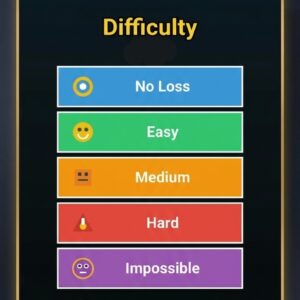 Fly Bird – Arcade Game (HTML5 / Javascript) Source Code - Unity Mobile Game Template
$15.00
Fly Bird – Arcade Game (HTML5 / Javascript) Source Code - Unity Mobile Game Template
$15.00
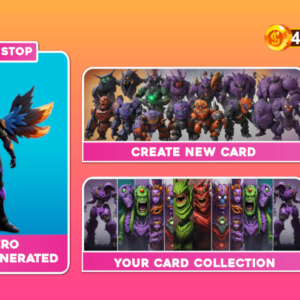 Merge Battle Fantasy AI Mix Complete Mobile Game Template Source Code - Unity Mobile Game Template
$50.00
Merge Battle Fantasy AI Mix Complete Mobile Game Template Source Code - Unity Mobile Game Template
$50.00
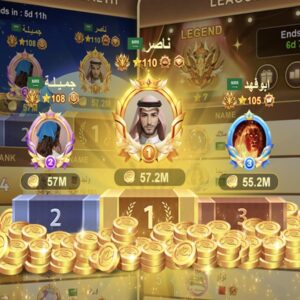 جاكارو Source Code - Unity Mobile Game Template
$1,200.00
جاكارو Source Code - Unity Mobile Game Template
$1,200.00
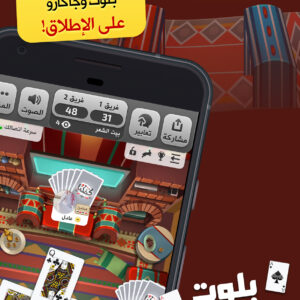 كملنا بلوت Source Code - Unity Mobile Game Template
$1,500.00
كملنا بلوت Source Code - Unity Mobile Game Template
$1,500.00
 Neon cyber run Source Code - Unity Mobile Game Template
$19.00
Neon cyber run Source Code - Unity Mobile Game Template
$19.00
 Tricky Pose: Brain Puzzle Source Code - Unity Mobile Game Template
Original price was: $110.00.$90.00Current price is: $90.00.
Tricky Pose: Brain Puzzle Source Code - Unity Mobile Game Template
Original price was: $110.00.$90.00Current price is: $90.00.